THE GADGET IN MIND TAKE
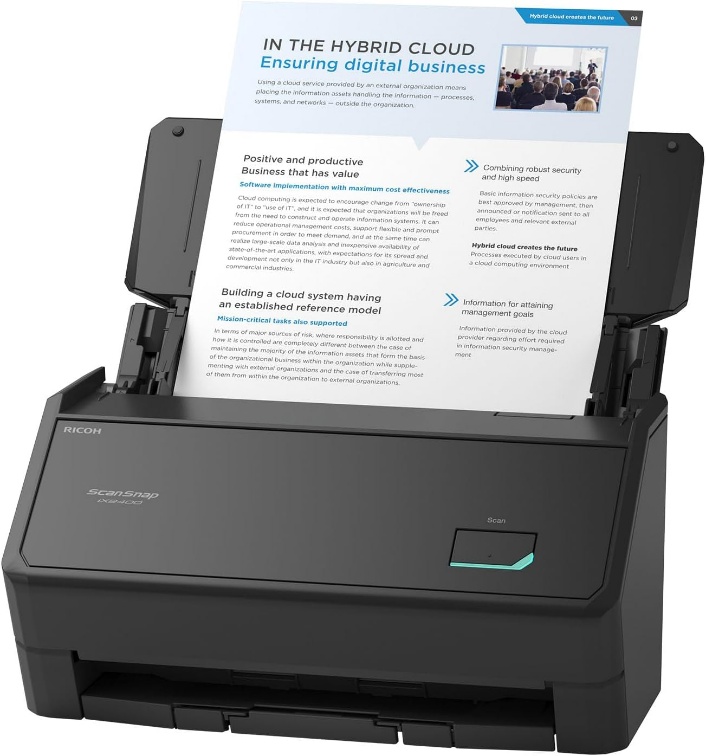
A focused option for a single scanning workstation. Choose it for the workflow simplicity, while checking ScanSnap software compatibility.
Consider it for
A dedicated admin workstation that scans batches over USB.
Look elsewhere for
Shared wireless access or applications requiring TWAIN / ISIS.
A USB connection does not by itself make a workflow offline or secure. Destination settings, computer access and any cloud software still determine where scanned data goes.
THE USEFUL DETAILS
Key specifications
- Rated scan speed
- Up to 45ppm / 90ipm at stated A4 settings
- Feeder
- Up to 100 A4 sheets at 80g/m²
- Connection
- USB only
- Controls
- One-touch scan button
- Software / driver
- ScanSnap Home; no TWAIN / ISIS
- Touchscreen / Wi-Fi
- Neither
Manufacturer platform features and exact seller configurations are different things. “Supplied listing” identifies details taken from the title supplied to us.
Reasons to consider
- Simple one-button control
- Same headline rated speed and capacity as the iX2500
- No scanner Wi-Fi configuration needed
Trade-offs to weigh
- No direct wireless or wired-network sharing
- No touchscreen profile selection
- No TWAIN / ISIS support
THE OFFICE PERSPECTIVE
A deliberately narrower brief
The iX2400 makes most sense when one person scans at one computer. Our assessment is that removing shared-device features can simplify that job, provided changing profiles in the software suits the user. A touchscreen is less valuable if the same document routine is repeated all day.
USB is a connection choice
This scanner does not have Wi-Fi or Ethernet. That can suit an office that wants a directly attached device, but it is not a security guarantee. Review where the computer saves or uploads files and who can access those destinations.
Compatibility before speed
The manufacturer rates this model at up to 45ppm with a 100-sheet feeder under stated conditions. It still relies on ScanSnap’s software rather than TWAIN or ISIS. We have not measured OCR, feeding or processing time. Confirm the application and sample output before making it part of a records workflow.
BEFORE YOU BUY
Three checks worth making.
- Confirm one-computer USB use fits the office
- Check ScanSnap Home and OS compatibility
- Review scan destinations, access and retention settings
Affiliate link · We may earn a commission at no additional cost to you.
View on Amazon.caCheck current price, seller, configuration and availability on Amazon. Opens a new tab.
CHECK OUR WORK
Sources & review limits
Model and platform facts are drawn from the references below. Workload suitability and purchasing priorities are our editorial inferences.
- Ricoh / PFU — ScanSnap iX2400 ↗Manufacturer documentation · consulted 21 Oct 2026
- Ricoh / PFU — ScanSnap model differences ↗Manufacturer documentation · consulted 21 Oct 2026
The retailer reference is Amazon.ca ASIN B0FWGTB3S3. Direct listing access was blocked during research; indexed details, where available, are not a substitute for the current seller offer. We have not verified current pricing, stock, seller identity or service eligibility.
No benchmark, star rating, customer quote or hands-on result has been invented. Read the full review method.